 Kaveh
Kaveh Appearance
The dashboard
This page is for server staff. The dashboard is a website where you change how Kaveh works in your server, without remembering commands. By the end you'll know how to open it, what each page does and how saving works.
Open it
- Go to the dashboard and sign in with Discord.
- Pick your server from the list on the left.
You only see servers where you have Manage Server and Kaveh is a member. If your server is missing, check both. If you just added Kaveh, sign out and back in.
What each page does
| Page | What you do there |
|---|---|
| Overview | See which modules are on, and switch any of them on or off |
| Moderation & Safety | Case files, appeals and automod settings |
| Modmail | Setup, conversation list, reading and replying, saved replies and blocks |
| Badges | Create badges, give or take them away, and look up a member to see their levels, title, badges and list choices |
| Leveling | XP settings, events, reward roles, rank titles and the leaderboard |
| Logging | Choose where each kind of event is recorded |
| Starboard | Highlights channel and the number of stars needed |
| Verification | The Member role, the method and the minimum account age (read more) |
| Economy | Coins, the daily reward, the word game and the role shop (read more) |
| Chat Room | The channel where Kaveh joins the conversation, and how chatty it is |
| Welcome & Boosters | Greetings, the auto role, and thanks for boosters, with live previews |
| Embed Builder | Build and send rich messages, through Kaveh or a webhook |
| Appearance | The colours of Kaveh's messages in your server |
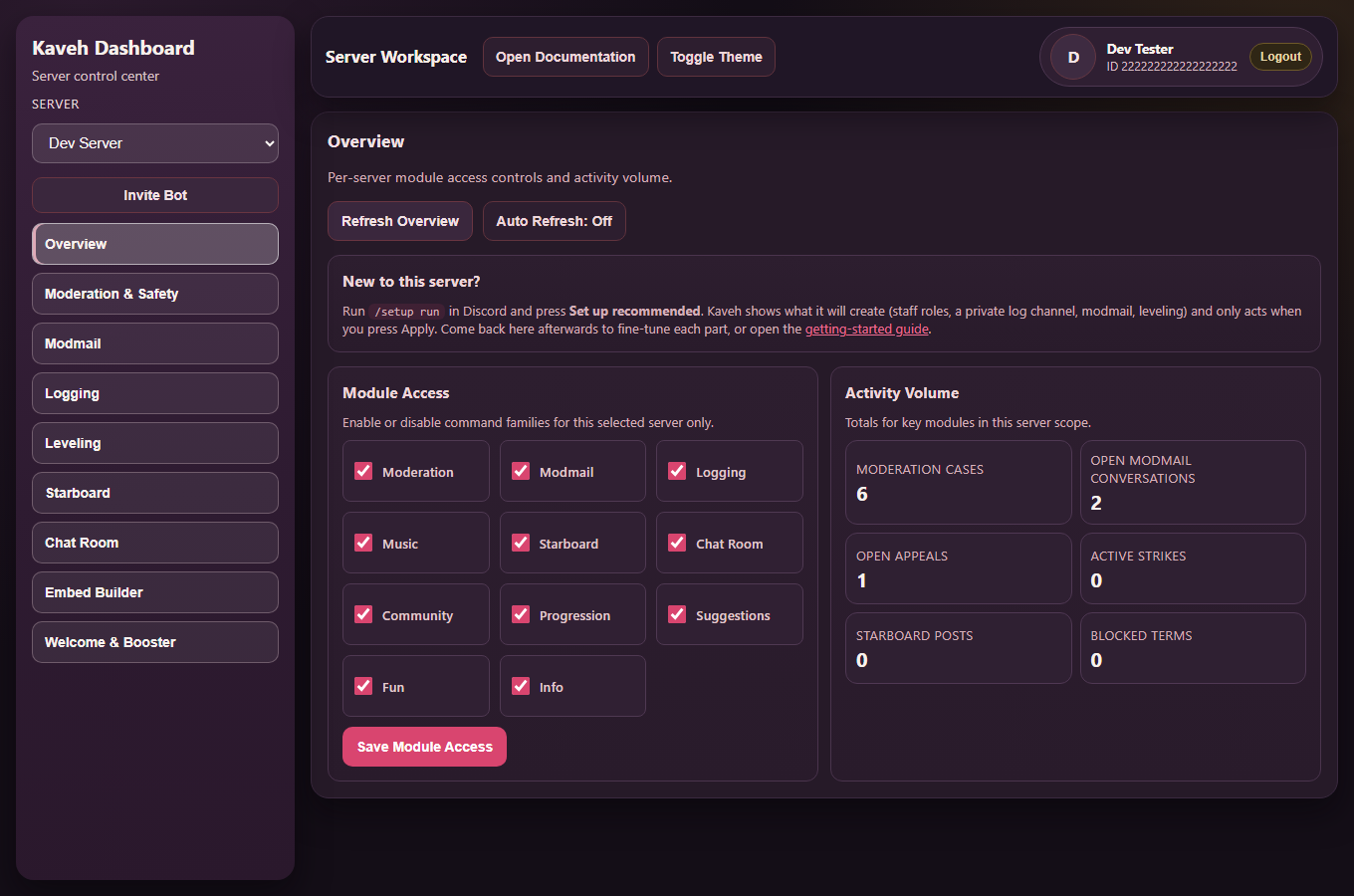
The screenshots on this page use a demo server with made-up data.
Saving
Each page saves on its own. There's no "save everything" button. Change something, press Save changes, and the page tells you it saved. If you leave a page with unsaved changes, the Discard button puts the saved values back.
Switch a module off
Each page that belongs to a module has a switch at the top. Switching a module off hides it from members and stops it working, but keeps your settings and data, so switching it back on brings everything back. Overview lists all the modules together.
Reply to modmail
Open Modmail > Records, choose a conversation and write under the messages. Kaveh sends your reply to the member within a few seconds, and the page shows whether it was delivered. You need the Manage Server permission to reply from the dashboard.
Colours and light or dark
The palette dots and the theme button in the left bar change how the dashboard looks for you. Appearance changes the colour of Kaveh's messages for everyone in the server.
Language
The language picker in the left bar (and in the top bar of your member page) switches between English, Portuguese, Spanish and French. It is remembered in your browser. The whole dashboard, the sign-in screen and your member page are translated. A few technical notes still show in English, such as the Embed Builder's checks on a draft and the names of badge rules, and anything not yet translated falls back to English.
When a page won't load
Each page loads on its own, so one problem doesn't blank the rest. If something can't load, for example because Discord is slow or Kaveh is restarting, the page says so and won't let you save, so it can never overwrite your real settings with blanks. Refresh the page and try again. If the channel and role pickers are slow, saved channels may show as numbers for a moment.
Good first pass for a new server
- Moderation & Safety, for automod.
- Logging, for where things are recorded.
- Modmail, for the category and log channel.
- Welcome & Boosters, Starboard and Leveling, to taste.
- Overview, for a last look at what's on.